
Low GPU Usage in Games? Causes & Fixes (2026 Guide)
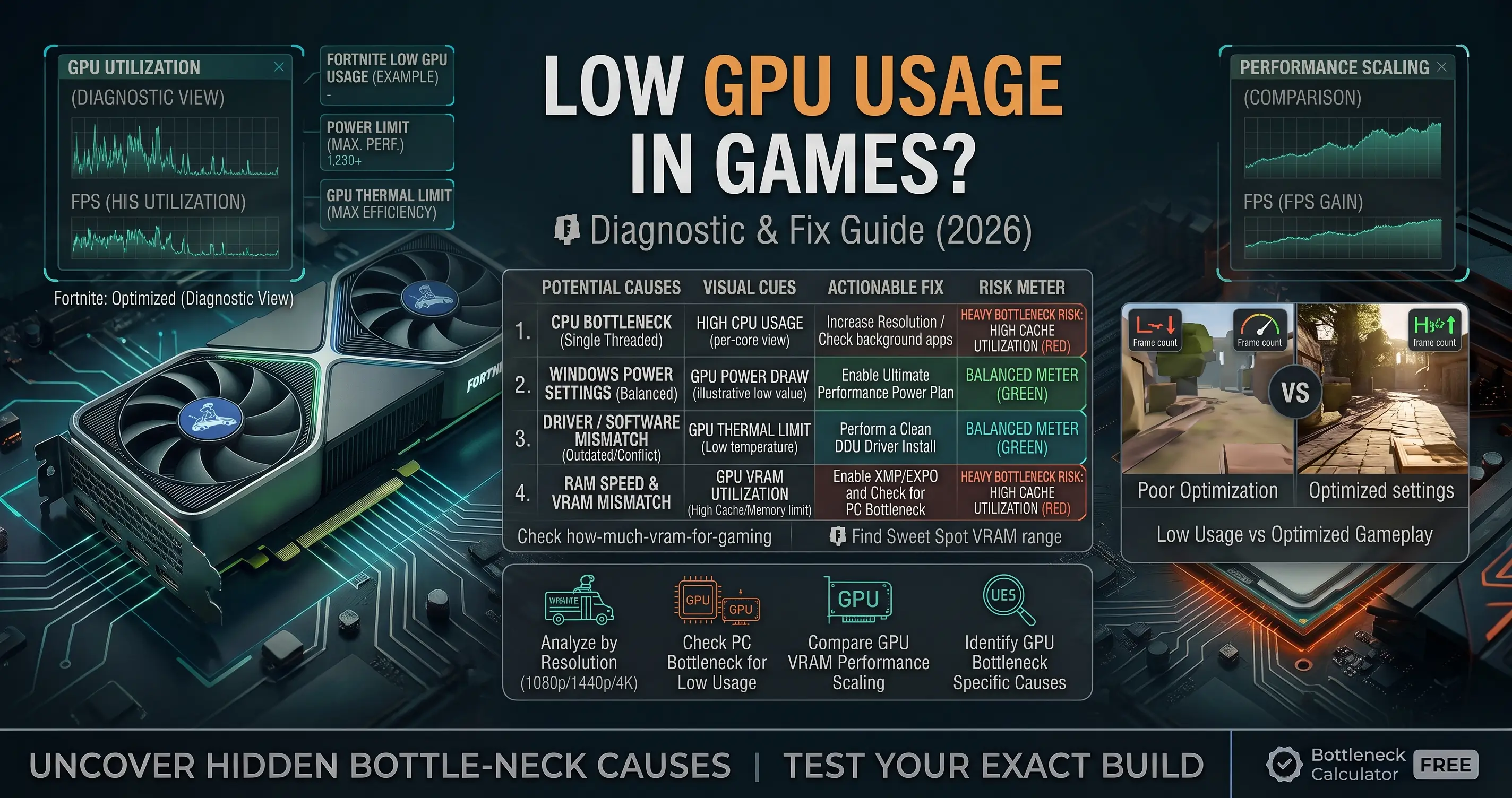
Seeing low GPU usage in games while your frame rate stays disappointing is one of the most common — and most misdiagnosed — PC performance complaints. Your graphics card should typically sit near 95–99% utilization in a demanding game. When it's sitting at 40%, 60%, or fluctuating wildly instead, something else in your system is setting the pace. This guide walks through every common cause of low GPU usage in games and how to fix each one.
Quick Answer
Low GPU usage in games is most often caused by a CPU bottleneck — your processor can't prepare frames fast enough to keep the GPU busy. Other common causes include a frame rate cap or V-Sync limiting how hard the GPU needs to work, a power plan not set to maximum performance, outdated or corrupted GPU drivers, and single-channel RAM restricting data delivery to the CPU. Check GPU utilization alongside CPU utilization first — that comparison tells you which category you're dealing with. Use the bottleneck calculator to see if your specific CPU and GPU pairing is the underlying cause.
Why Is My GPU Usage So Low?
GPU utilization measures how much of your graphics card's processing power is actually being used at any moment. In a demanding game, it should sit close to 100% — that means your GPU is the component working hardest, which is exactly what you want, since it's usually your most expensive part. When utilization drops well below that while frame rate is also below your target, the GPU is finishing its work and then sitting idle, waiting on something else in the pipeline.
Common Causes of Low GPU Usage in Games
| Cause | How Common | Key Symptom |
|---|---|---|
| CPU bottleneck | Very common | CPU usage near 100% while GPU usage sits well below 90% |
| Frame rate cap or V-Sync | Common | Both CPU and GPU usage are moderate, and FPS sits exactly at a round number |
| Power plan not set to performance | Common | GPU clocks lower than expected even under load |
| Outdated or faulty GPU drivers | Occasional | Usage is inconsistent or the issue appeared right after an update |
| Single-channel RAM | Occasional | CPU-bound symptoms even with a reasonably strong CPU |
| VRAM limit reached | Occasional | Stuttering and usage drops specifically when new areas or textures load |
| Background malware or crypto miners | Rare but serious | High GPU usage with no clear cause, or usage that doesn't match what you're running |
1. CPU Bottleneck (the Most Common Cause)
A CPU bottleneck happens when your processor can't prepare game logic, physics, AI, and draw calls fast enough to keep the GPU fed. You'll typically see CPU usage pegged near 100% on one or more cores while GPU usage sits noticeably lower — the classic signature of this issue. This is most common at 1080p, in competitive titles chasing high frame rates, and in CPU-heavy genres like strategy and simulation games.
For a full breakdown of fixes, see our guide on how to fix a CPU bottleneck.
2. Frame Rate Cap or V-Sync
If your GPU is capable of much higher frame rates than your monitor or game settings allow, it will deliberately sit at lower utilization once it hits that cap — this isn't a problem, it's working as intended. Check for an in-game frame rate limiter, V-Sync, or a driver-level cap (Nvidia's Max Frame Rate or AMD's Chill/frame limiter) that might be holding performance below what your hardware can deliver.
3. Power Plan Not Set to Maximum Performance
Windows' Balanced power plan can throttle CPU and GPU clocks to save energy, even during gaming. Switch to the High Performance or Ultimate Performance power plan in Windows, and in your GPU control panel (Nvidia Control Panel or AMD Adrenalin), set Power Management Mode to "Prefer Maximum Performance" so the card doesn't downclock during gameplay.
4. Outdated or Corrupted GPU Drivers
Driver issues can cause inconsistent or unexpectedly low GPU usage, especially after a Windows update or a new game patch. Use Display Driver Uninstaller (DDU) in Safe Mode to fully remove your current driver, then install the latest stable driver directly from Nvidia or AMD rather than relying on Windows Update.
5. Single-Channel RAM
If only one RAM stick is installed, your CPU's memory bandwidth is effectively cut in half. This can quietly cause CPU-side bottlenecking that shows up as low GPU usage, even with a CPU that should otherwise be capable. Check your motherboard manual for the correct dual-channel slots, and confirm your RAM is actually running in dual-channel mode in a tool like CPU-Z or Task Manager's Performance tab.
6. VRAM Limit Reached
When a game's texture and asset data exceeds your GPU's memory capacity, performance can drop sharply and unevenly — often alongside stutters when new areas load — because the system has to pull data from much slower system RAM instead. Lowering texture quality and view distance is the fastest fix; a GPU with more VRAM is the longer-term one.
7. Malware or Background Processes
Unexplained GPU activity with no clear game or app cause can occasionally point to cryptocurrency mining malware or another background process consuming GPU resources. Run a full system scan with Windows Security or a trusted antivirus tool if usage patterns don't match anything you're actually running.
How to Diagnose Which Cause Applies to You
Open MSI Afterburner or GPU-Z and watch CPU usage and GPU usage side by side during real gameplay in your target game:
- CPU near 100%, GPU well below 90%: CPU bottleneck — see the fix guide linked above
- Both CPU and GPU moderate, FPS locked at a round number: frame cap or V-Sync — check your settings
- GPU usage inconsistent or erratic: driver issue — reinstall with DDU
- Usage drops specifically on area loads or texture pop-in: VRAM limit — lower texture settings
For a complete step-by-step diagnostic process covering your whole system, see our guide on how to check for a PC bottleneck.
FAQ
Why is my GPU usage low in games?
The most common cause is a CPU bottleneck, where the processor can't feed the GPU frame data fast enough. Other causes include a frame rate cap, power settings not on maximum performance, outdated drivers, single-channel RAM, or a VRAM limit.
What GPU usage percentage is normal while gaming?
In a demanding game, GPU utilization should sit at or near 95–99%. Lower utilization while frame rate is also below your target usually points to a bottleneck elsewhere in the system.
Is low GPU usage always a CPU bottleneck?
No. While a CPU bottleneck is the most common cause, low GPU usage can also come from a frame rate cap, power plan settings, driver issues, single-channel RAM, or a VRAM limit. Check CPU usage alongside GPU usage to narrow it down.
How do I fix low GPU usage without buying new hardware?
Start with the free fixes: set your power plan to High Performance, reinstall GPU drivers with DDU, confirm RAM is running in dual-channel mode, remove any unintentional frame rate caps, and close background applications. These resolve the issue in most non-CPU-bottleneck cases.
Conclusion
Low GPU usage in games almost always traces back to one of a handful of causes, and a CPU bottleneck is the most common by far. Checking CPU and GPU usage together during real gameplay is the fastest way to identify which one applies to you before spending money on new hardware. Use the bottleneck calculator to check whether your specific CPU and GPU pairing is the root cause.