
How Much RAM Do You Need for Gaming in 2026?
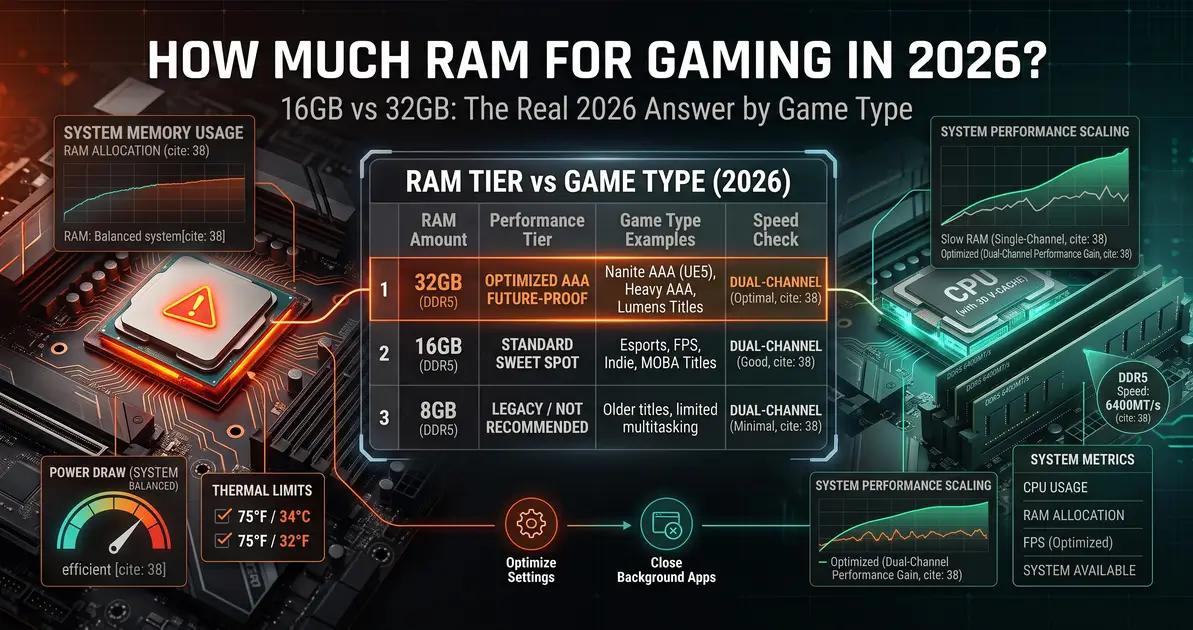
How much RAM you need for gaming is one of the most-asked questions in PC building, and the honest answer has shifted meaningfully in recent years. With DDR5 now the standard and modern games carrying bigger memory footprints than ever, the old "16GB is plenty" advice needs an update. This guide breaks down exactly how much RAM you need based on what you actually play.
Quick Answer
16GB of RAM is the practical minimum for gaming today and remains enough for esports, indie, and many current AAA titles at 1080p. 32GB is the comfortable, future-proof standard for a new gaming PC in 2026, especially if you play demanding AAA titles, run mods, stream, or keep background apps open while gaming. 8GB is no longer adequate for a modern gaming system. The jump from 16GB to 32GB mostly improves multitasking smoothness rather than raw average FPS — if your system already runs fine on 16GB, 32GB won't suddenly boost frame rate. Use the bottleneck calculator alongside your CPU and GPU choice to plan a balanced build.
How Much RAM Do You Need, by Capacity
| RAM Capacity | Verdict for Gaming (2026) | Best For |
|---|---|---|
| 8GB | No longer suitable | Not recommended for any new gaming build — causes stutter and uneven frame pacing in current titles |
| 16GB | Practical minimum | Esports, indie games, older titles, and many AAA games at 1080p with a focused setup (few background apps) |
| 32GB | The current sweet spot | Demanding AAA titles, modded games, simulators and strategy games, streaming, and heavy multitasking while gaming |
| 64GB | Overkill for gaming alone | Only worth it if you also do video editing, 3D rendering, or other memory-heavy creative work alongside gaming |
Is 16GB Still Enough for Gaming?
Yes, with caveats. If you play primarily esports titles, older games, or current AAA titles at 1080p with a clean system — few background apps, no streaming software running — 16GB remains genuinely viable. The problem is how easily that headroom disappears: a game using 12–14GB on its own, plus a browser, Discord, and a launcher running in the background, can push total demand well past 16GB, at which point Windows starts paging to your SSD and you'll notice stutter and hitching even though the game itself seemed fine in isolation.
Why 32GB Has Become the New Standard
32GB isn't about raw frame rate — in a fully GPU-bound game with nothing else running, 16GB and 32GB often produce nearly identical average FPS. What 32GB actually buys you is headroom: smoother multitasking, no stutter from background apps competing for memory, and a build that comfortably handles whatever the next couple of years of AAA games demand without needing a second RAM upgrade. If you stream, record gameplay, run game mods, or regularly alt-tab to other applications while playing, 32GB stops being a luxury and becomes the practical choice.
How Much RAM by Game Type
| Game Type | Recommended RAM | Why |
|---|---|---|
| Esports / competitive (CS2, Valorant, Fortnite competitive) | 16GB | These games are optimized to run light; 16GB is rarely a limiting factor |
| Current AAA titles at 1080p | 16GB | Generally fine on a focused system with few background apps |
| AAA titles at 1440p/4K with ray tracing | 32GB | Higher-resolution textures and effects increase total memory demand |
| Strategy / simulation games | 32GB | Large unit counts and dense simulation data are memory-hungry by design |
| Modded RPGs | 32GB | Mods stack additional textures and assets on top of the base game's memory use |
| Gaming while streaming or recording | 32GB | OBS or Streamlabs running alongside a game competes directly for the same memory pool |
Does RAM Speed Matter, or Just Capacity?
Both matter, but in different ways. Capacity determines whether you run out of room; speed determines how efficiently your CPU can use what you have. RAM speed has a measurable effect on gaming performance, particularly on AMD Ryzen platforms where memory speed is tied directly to the Infinity Fabric interconnect. Running RAM at its rated XMP/EXPO speed instead of default JEDEC speeds can meaningfully improve frame rates and 1% lows — see our guide on how to enable XMP and EXPO for faster RAM and our deeper look at whether RAM actually affects FPS.
Single-Channel vs Dual-Channel: A Common Mistake
A single 16GB RAM stick is not the same as two 8GB sticks running in dual-channel mode. Dual-channel configurations give your CPU meaningfully more memory bandwidth — often a 10–15% real-world gaming performance difference over a single stick of the same total capacity. If you're buying RAM for a new build, always buy a matched two-stick kit rather than a single larger stick.
Should You Buy 16GB Now and Upgrade to 32GB Later?
This can work, but with a catch: buying two 8GB sticks now and adding two more later risks running into stability issues from mismatched RAM, since a new kit is never guaranteed to run cleanly alongside an older one at the same timings. If you think there's a real chance you'll want 32GB, buying a single matched 2x16GB kit from the start avoids that risk entirely, even if it costs a bit more upfront.
FAQ
How much RAM do I need for gaming in 2026?
16GB is the practical minimum and remains enough for esports and many current AAA titles at 1080p. 32GB is the comfortable, future-proof standard, especially for demanding AAA titles, modding, streaming, or multitasking.
Is 16GB RAM enough for gaming?
Yes, for esports titles, older games, and many AAA titles at 1080p, as long as you keep background apps to a minimum. It becomes tighter with demanding titles, mods, or heavy multitasking.
Does 32GB RAM give more FPS than 16GB?
Generally no, if your system isn't already running out of memory on 16GB. The main benefit of 32GB is smoother multitasking and headroom, not a significant average frame rate increase.
Is 8GB RAM enough for gaming?
No. 8GB is no longer adequate for a modern gaming system and will cause stutter, hitching, and uneven frame pacing even at low settings in current titles.
Conclusion
For gaming in 2026, 16GB remains a workable floor for focused, lighter setups, but 32GB has become the practical standard for anyone building a new system or playing demanding, modded, or multitasking-heavy titles. Capacity determines whether you run out of memory; speed and dual-channel configuration determine how well you use what you have. Use the bottleneck calculator to plan a balanced CPU, GPU, and RAM combination for your build.