
RTX 4060 CPU Bottleneck: No-Bottleneck CPU Guide (2026)
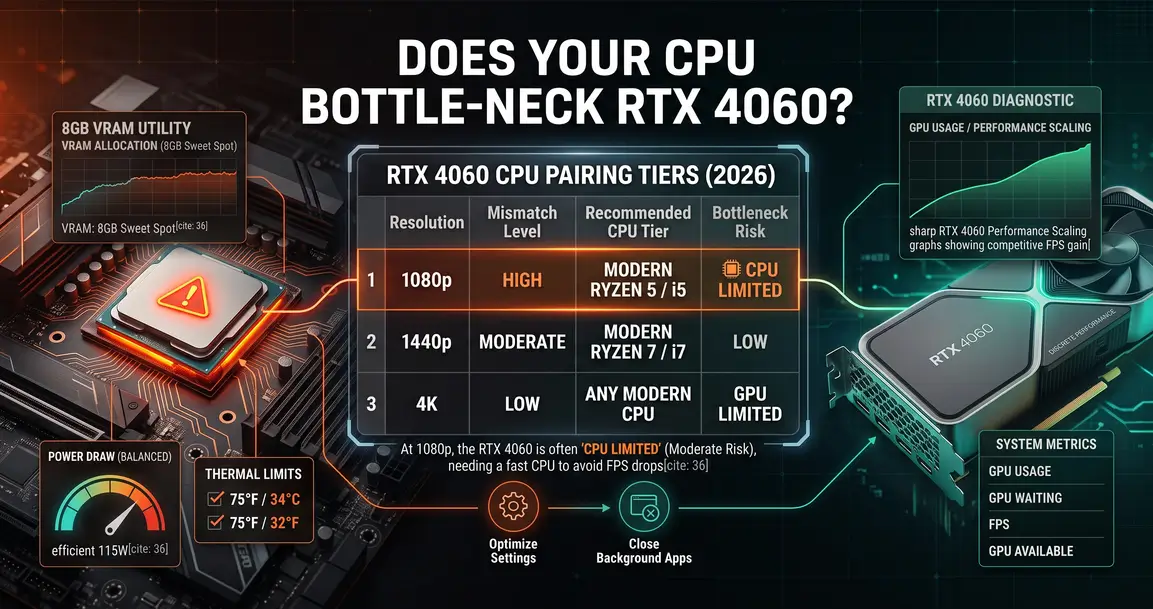
The RTX 4060 is one of the most popular graphics cards on the market today, prized for its efficiency and solid 1080p-to-1440p performance. But a GPU this widely owned means a wide range of CPUs get paired with it — some great matches, some clear mismatches. This guide covers exactly where CPU bottlenecking shows up with the RTX 4060 and which CPUs actually let it perform.
Quick Answer
The RTX 4060's CPU bottleneck risk zone sits mostly at 1080p with older or very low-end CPUs, particularly in esports titles like Valorant or Counter-Strike 2 that thrive on high frame rates. At 1440p and above, you'll naturally hit a GPU bottleneck instead with most modern CPUs — which is perfectly normal and means the GPU, not the CPU, is setting your frame rate. For a balanced pairing, target AMD Ryzen 5 7600 / 7600X or Intel Core i5-13600K. Use the bottleneck calculator to check your specific CPU and RTX 4060 pairing.
Does the RTX 4060 Get CPU Bottlenecked?
Yes — with the wrong CPU, the RTX 4060 will encounter a CPU bottleneck that stops it from reaching its full frame rate potential. A CPU bottleneck happens when your processor can't feed the GPU frames fast enough; GPU usage sits consistently below 85–90% while your CPU runs near its limit. The opposite is a GPU bottleneck, where the CPU has headroom to spare and the graphics card is fully utilized — which is exactly what you want at 1440p and above with this card.
RTX 4060 CPU Bottleneck by Resolution
| Resolution | CPU Bottleneck Risk | Notes |
|---|---|---|
| 1080p | Medium–High | The risk zone for this card — older or very low-end CPUs can noticeably cap performance here, especially in esports titles |
| 1440p | Low | A six-core modern CPU keeps GPU utilization high; the GPU itself becomes the natural limiting factor |
| 4K UHD | Very Low | GPU-bound in nearly every case — the RTX 4060 itself is the limit here regardless of CPU |
Best CPUs for RTX 4060 (No Bottleneck)
| CPU | Platform | RTX 4060 Pairing | Best For |
|---|---|---|---|
| AMD Ryzen 5 7600X | AM5 | Excellent | Best overall balanced pairing — no wasted performance or budget |
| AMD Ryzen 5 7600 | AM5 | Excellent | Nearly identical to the 7600X in gaming; strong value pick |
| Intel Core i5-13600K | LGA1700 | Excellent | Strong hybrid core count; no meaningful bottleneck at any resolution this card targets |
| AMD Ryzen 5 5600 | AM4 | Good (budget) | Best budget pairing for players upgrading from an older AM4 build |
| AMD Ryzen 7 7800X3D | AM5 | Excellent (high-refresh) | Worth it specifically if you're chasing the best possible 1% lows at high refresh rates |
1080p vs 1440p: What Changes
At 1080p, the RTX 4060 can render frames quickly enough that a weak CPU becomes the ceiling — this is most visible in esports titles pushing high frame rates, where even small CPU differences in single-core speed show up clearly. At 1440p, the extra pixel count gives the GPU more work per frame, which naturally shifts the bottleneck toward the GPU for the vast majority of modern six-core-or-better CPUs. This is a healthy, expected outcome, not a problem to fix.
How to Check If Your CPU Is Bottlenecking the RTX 4060
Open MSI Afterburner or GPU-Z and monitor GPU utilization during real gameplay. If utilization is consistently below 85% while your CPU runs near 100%, your CPU is the limiting factor. For the complete diagnostic walkthrough, see our guide on how to check for a PC bottleneck.
How to Reduce RTX 4060 CPU Bottleneck
Try these free fixes before considering a CPU upgrade:
- Enable XMP/EXPO memory profiles — running RAM at its rated speed instead of JEDEC default noticeably helps CPU-bound scenarios
- Close background applications — browser tabs, Discord, and overlays all consume CPU cycles that could otherwise feed the GPU
- Lower your FPS target in competitive titles if you're chasing an extreme refresh rate ceiling that your CPU can't quite sustain
For a complete walkthrough of every free fix, see our guide on how to fix a CPU bottleneck.
FAQ
Can the RTX 4060 get CPU bottlenecked?
Yes, mainly at 1080p with older or very low-end CPUs, especially in esports titles chasing high frame rates. At 1440p and above, the RTX 4060 itself typically becomes the limiting factor instead, which is normal.
What is the best CPU for the RTX 4060?
The AMD Ryzen 5 7600X offers the best balanced pairing with no wasted performance or budget. The Intel Core i5-13600K and AMD Ryzen 5 7600 are equally strong alternatives.
How do I know if my CPU is bottlenecking my RTX 4060?
Monitor GPU utilization in MSI Afterburner or GPU-Z. If it's consistently below 85% while your CPU usage is near its limit, your CPU is holding the GPU back.
Is a GPU bottleneck bad with the RTX 4060?
No — at 1440p and above, a GPU bottleneck with this card is expected and healthy. It means your graphics card is being fully used rather than waiting on an underpowered CPU.
Conclusion
The RTX 4060's bottleneck risk is concentrated almost entirely at 1080p with weaker CPUs. A modern six-core CPU like the Ryzen 5 7600X or Core i5-13600K keeps it fully fed across the resolutions it's actually built for. Use the bottleneck calculator to confirm your exact CPU and RTX 4060 pairing before making any upgrade decision.